ZP597 PCIe to 4 Ports 1G Ethernet HAT with Case
|
||
Introductions
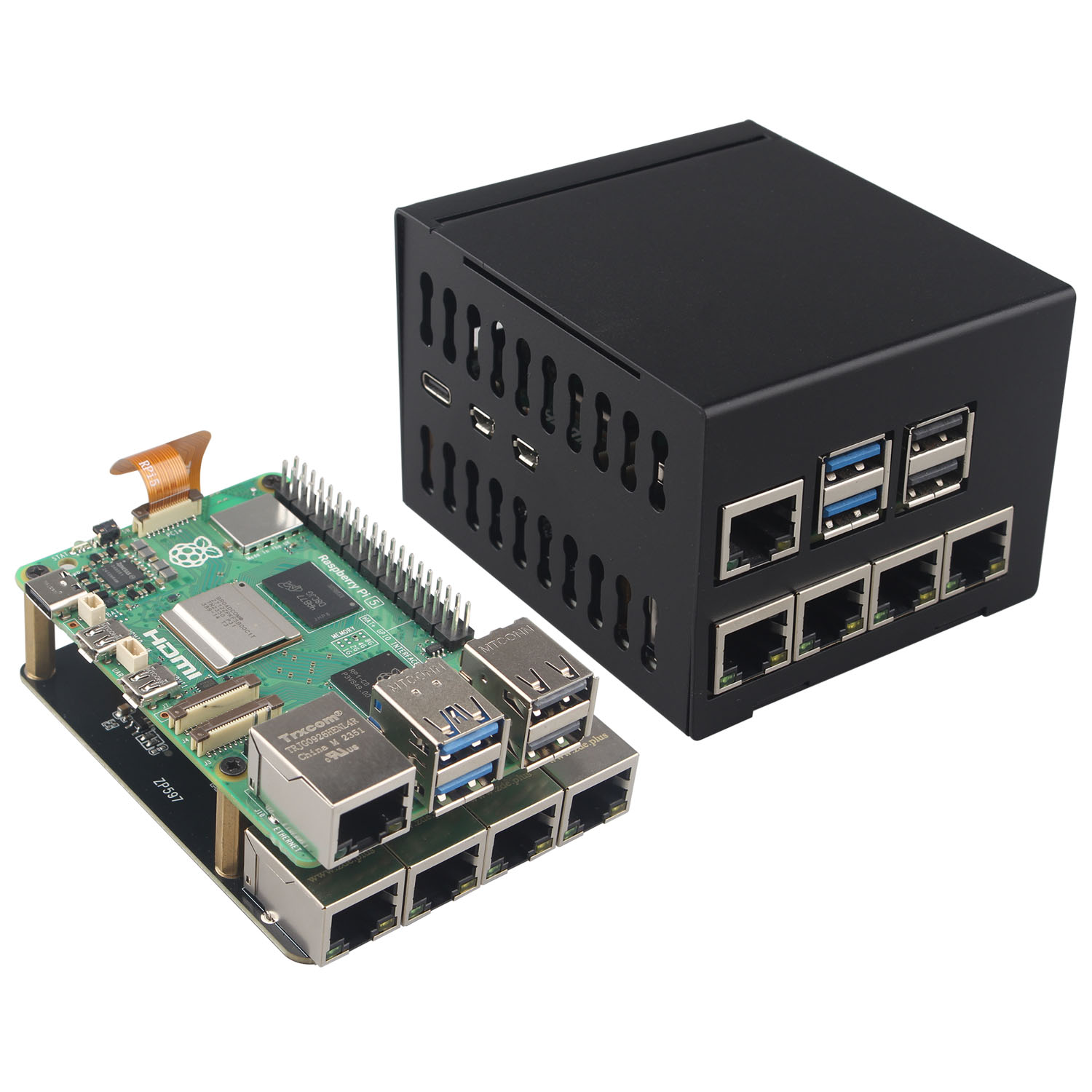
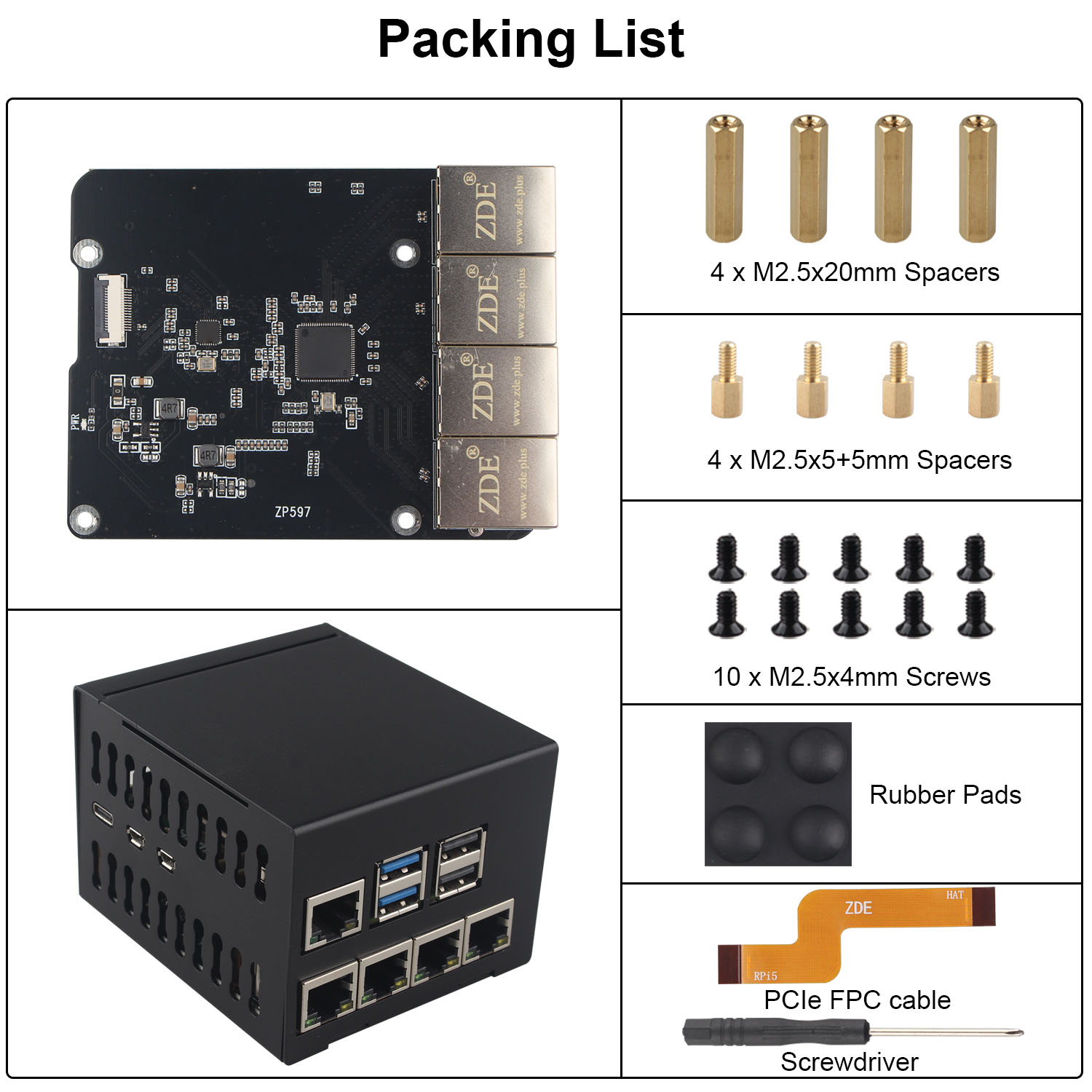
• This kit includes a ZP597 PCIe Peripheral Board and an aluminum alloy case. It is compatible with the latest Raspberry Pi 5 2GB/4GB/8GB/16GB board.
• The ZP597 is a 4 ports gigabit Ethernet network expansion board specially designed for Raspberry Pi 5, adding 4 1GBE network ports for Raspberry Pi 5.
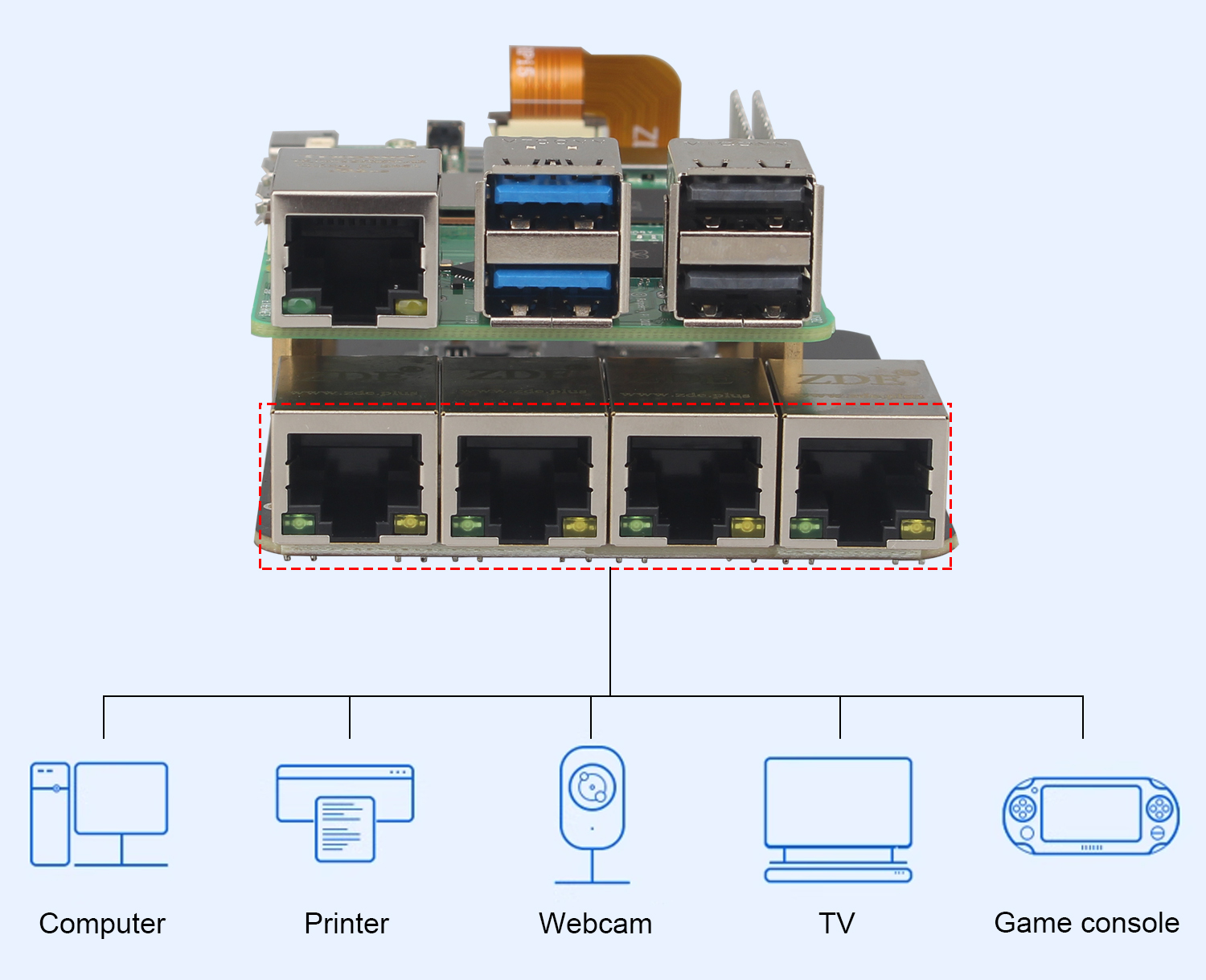
• Use these 4 ports as LAN port and the network port that comes with the Raspberry Pi 5 as a WAN port, so that you can build your own router or switch with the Raspberry Pi 5. The adapter board can also be used to other multi-network port applications, such as Robot, Smart Home, VOIP, Industrial Equipment and more.
• PCIe to 4 Ports Gigabit Ethernet Network HAT expansion board, provides reliable data transfer, able to achieve high-speed reading/writing.
• Drive-free under Raspberry Pi official OS and OpenWrt system. When use Ubuntu system, it needs to install driver.
• The enclosure is specifically designed for ZP597 shield with 4 Ethernet Ports. It is made of lightweight and durable aluminum alloy material, which can offer excellent protection and heat dissipation for the Raspberry Pi 5 board and expansion board.
Installation Video Tutorial
How to Use
Raspberry Pi OS
Driver is built into the Raspberry Pi OS, plug and play.
Open Terminal and use the following command:
lspci

The above display means that the ZP597 has been connected to the Raspberry Pi 5, otherwise, please check if the cable is installed as required.
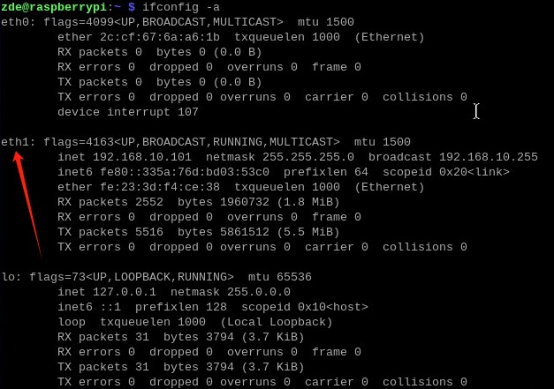
Use the ifconfig command to see an additional eth1 network device. eth1 is a device of 4 network ports.
ifconfig -a
The 4 ports can be used as a switch.
Use the 4 ports eth1 as a LAN port and the network port eth0 that comes with Raspberry Pi as a WAN port, which is the hardware configuration of a router. According to your needs to configure the function of the routing through the command in the system, for specific you need to learn the knowledge related to routing.
Ubuntu
Use the following command to install driver:
sudo apt-get update
sudo apt-get install --reinstall linux-headers-$(uname -r) linux-headers-generic build-essential dkms
sudo apt install r8168-dkms
sudo modprobe r8168
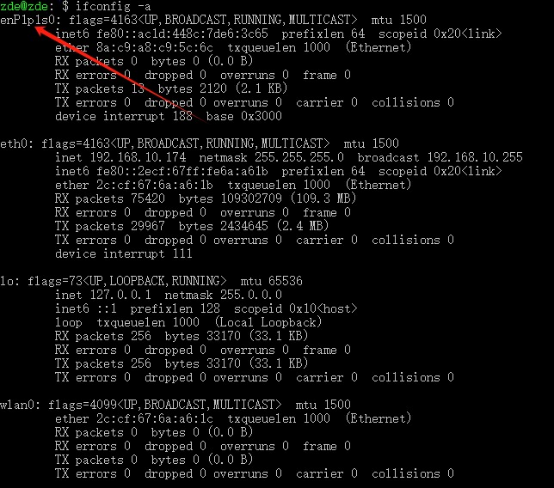
After finishing installation, use ifconfig -a command to see a new network device as the following picture shows:
ifconfig -a
OpenWrt
OpenWRT is a highly modular and automated embedded Linux system with powerful networking components and extensibility, commonly used in industrial control devices, telephones, robots, smart homes, routers, gateways, firewalls, NAS and VOIP devices. The OpenWrt SDK is a great convenience for software developers who benefit from it, simplifying the work of developing software.
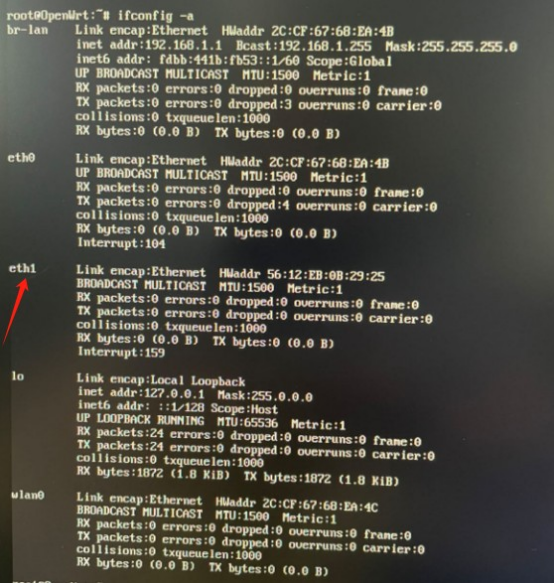
Use ifconfig -a command to find an additional eth1 device.
ifconfig -a
Packing List
Support
If you have any question or need technical support, please contact: support@zde.plus.